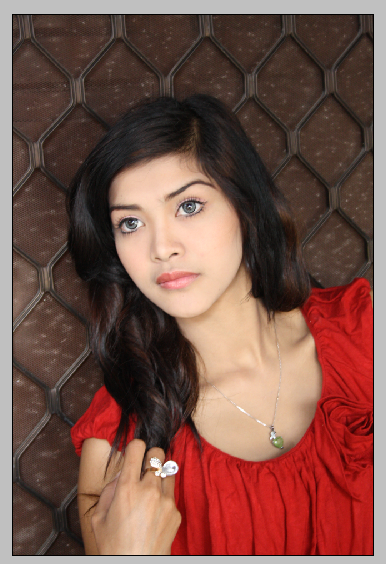
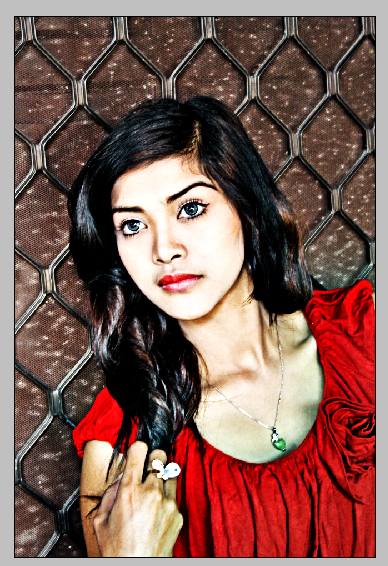
Here are the steps to create HDR photo in photoshop with the object instance, here I use photoshop CS3
[STEP 1]
Open Photoshop, open the image to be edited

[STEP 2]
Right click on Layer Background > Convert to Smart Object

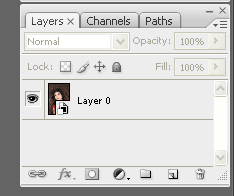
[STEP 3]
We make detailed pictures to make it more visible to the open menu step Image > Adjusment s> Shadow/Higlight...
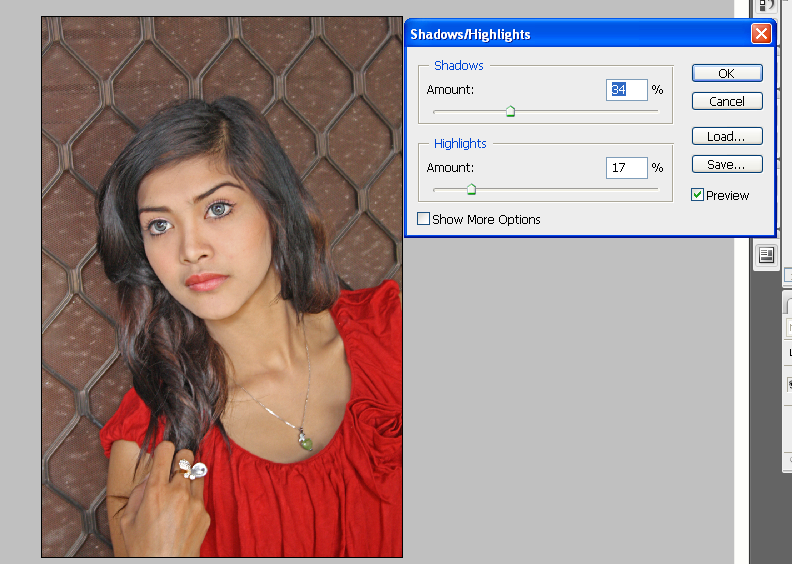
[STEP 4]
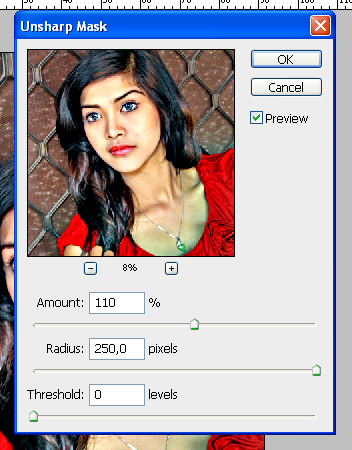
Add effects more acute with open menu Filter>Sharpen>Unsharp Mask...
[STEP 5]
Add Black and White Adjustment Layer, with langkah Layer>New Adjustmen Layer>Black and White...
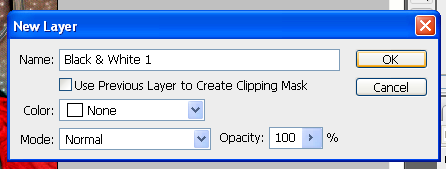
OK, and then
[STEP 6]
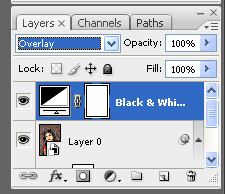
change the Blending Mode to Overlay in the Layer Pallet
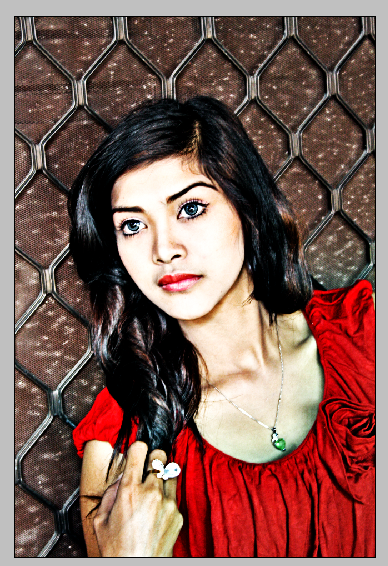
And here are the results
any questions ?? just comment below this post :)


0 komentar:
Posting Komentar